Made for real classrooms
Your classroom day,
in one place.
Bring lessons, tasks and resources together, with a clear way for students to ask for help or marking.
Built by a teacher. For the room you teach.
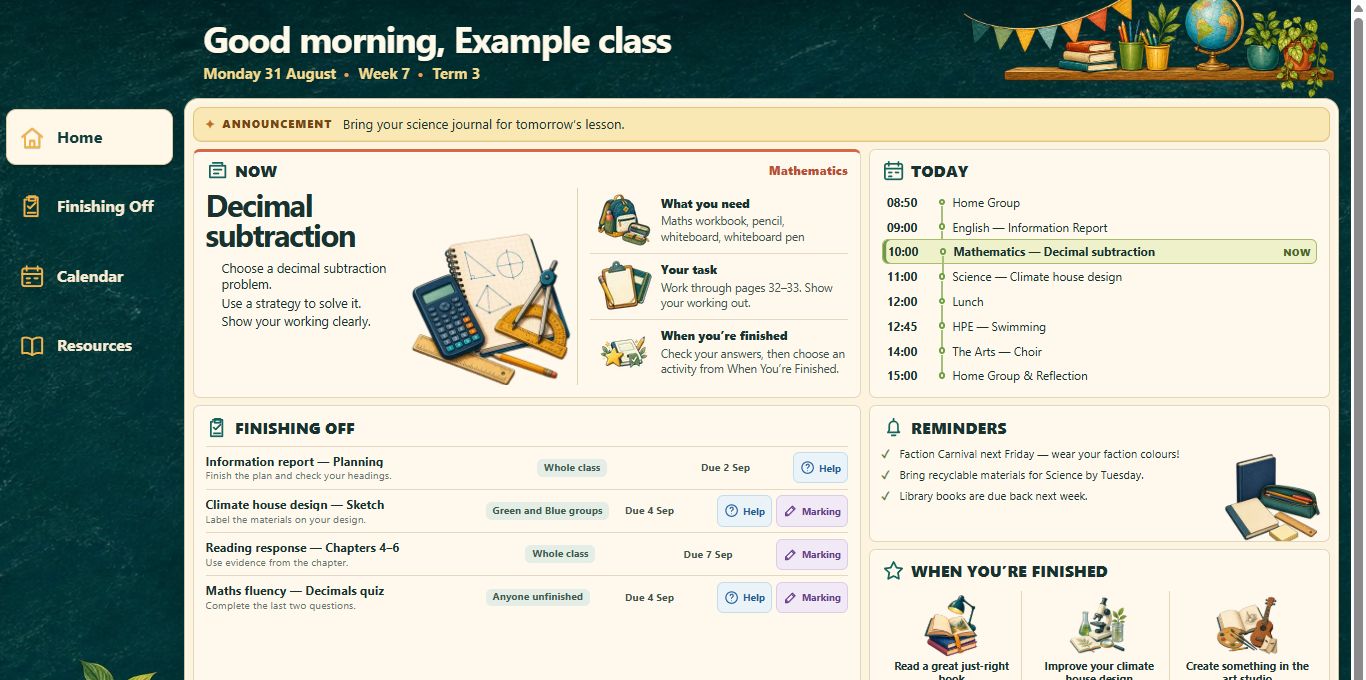
The day keeps moving
Give your class
a place to come back to.
The instructions. The link. The work to finish.
Ready when your students need them.

- 01
Make the next step clear.
Put the current lesson, instructions and materials where the whole class can find them. Update the plan as your lesson changes.
- 02
Keep unfinished work in view.
Give the class or a group a clear Finishing Off list, with the task, due date and a way to ask for help or marking.
- 03
Give resources a home.
Keep useful links, reminders and when-finished activities together, ready for students to return to throughout the day.
And when they need you
A little more context.
A calmer way to help.
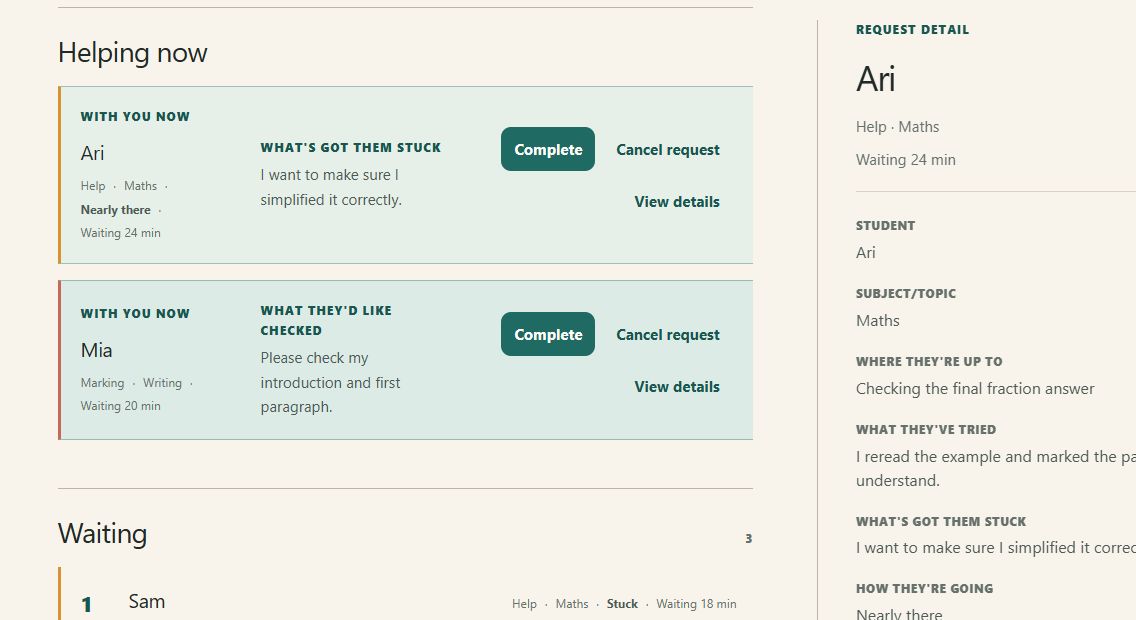
Students can ask without calling across the room. You can see where they’re up to before you reach their desk.
- 01 / Ask
Help or marking.
Students share what they’re working on and what they need. Help prompts make it easier to explain the stuck bit.
- 02 / Keep going
Waiting has a next step.
Students see their place in the queue, with useful guidance while they wait.
- 03 / Support
You know who needs you.
Read the context, start helping, pause or complete a request. The student sees when you’re ready.

Primary through secondary
Year 5 fractions.
Year 9 investigations.
Your way of teaching.
Choose the topics, instructions and resources.
ClassQueue gives them a shared home.
Good questions
Before your first class.
The practical things teachers want to know.
Is ClassQueue for primary or secondary classrooms?
Both. Set up the lessons, topics, tasks and resources for the class you teach. Use it across the day with a primary class, or for a subject with your secondary classes.
How do my students get to their class?
Students use the class URL or QR code you share with them. They go straight to class access; this website is for teachers to get started and sign in.
Do students need accounts or a name to view the classroom?
No student-created accounts, email addresses or passwords are needed. Students can view the class without entering a name. When asking for Help or Marking, they confirm the name you know them by.
Who can see a student's help request?
The class teacher can see the student's name and request details. Students see their own request and waiting position, not other students' names or private request details. The shared classroom view contains class-wide learning content.
What do students do while they wait?
Their personal waiting screen shows their request status, queue position and useful guidance. They can keep working with the class tasks and resources, and see when you're ready to help.
Bring your next lesson together
Make room for the teaching.
Your classroom day starts with one class.
Create a classAlready using ClassQueue? Sign in to your classes.